Buying guides · 8 min read
Best Remote Golf Buggy: Buyer’s Guide to MGI, QOD and Concourse
Looking for the best remote golf buggy? Remote models follow your commands so you can walk hands-free. Here is how they work and what to compare.
By the Buggies For Sale team · Updated
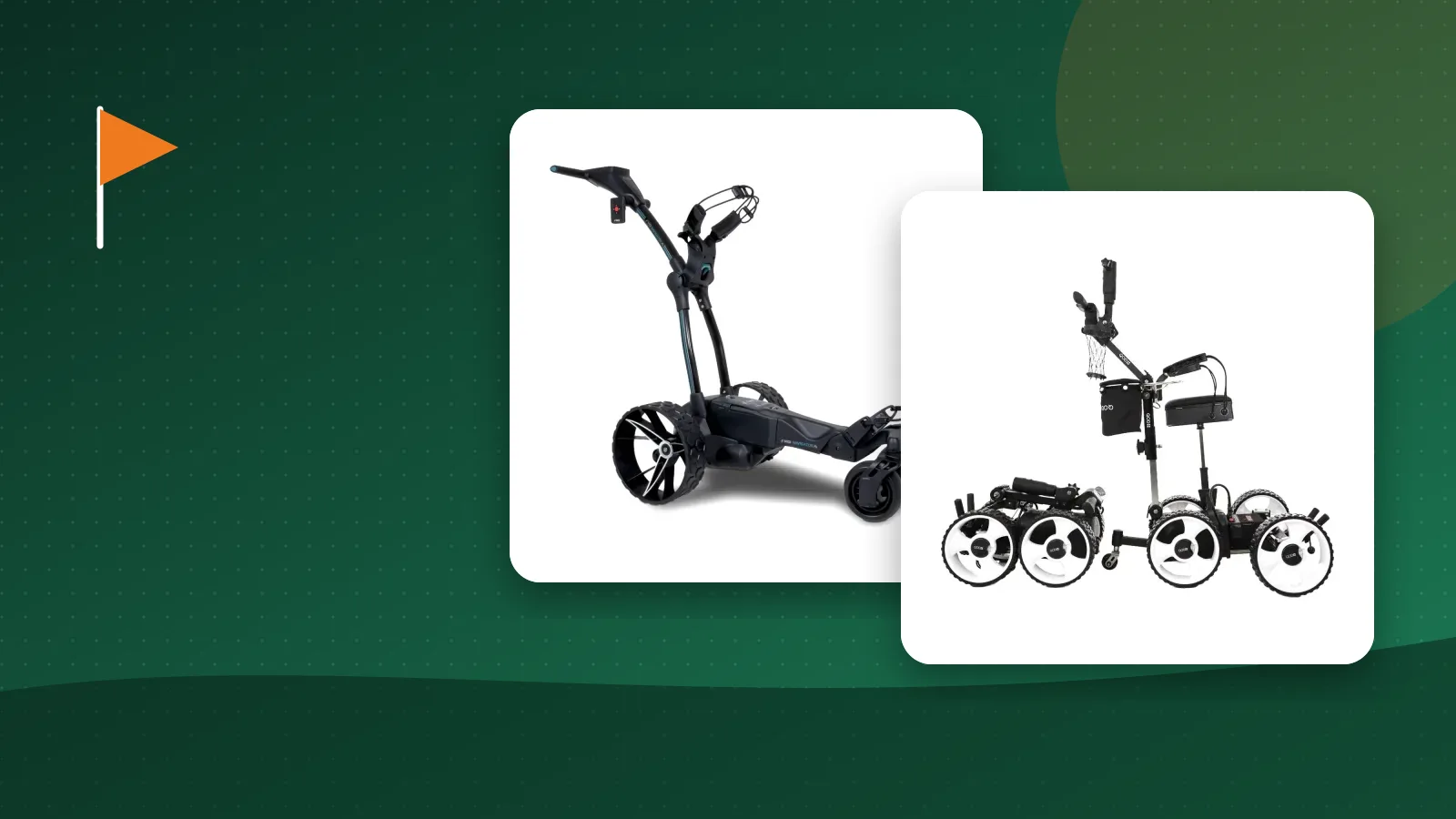
The best remote golf buggy is the most hands-free way to play. Instead of pushing or steering, you walk the course while the buggy follows your commands. This guide explains how remote control buggies work and what to compare.
How remote golf buggies work
A remote buggy has electric motors and a control system. You use a handheld remote with buttons to send the buggy ahead, stop it or bring it back. Some models also follow you automatically.
What to compare
- Remote range and reliability. How far does the remote work, and what happens if the signal drops?
- Battery. Lithium capacity determines how many holes you can play.
- Weight and fold. A lighter buggy is easier to load into the car.
- Terrain. All-terrain tyres and good motors help on hills.
- GPS. Some models show yardages on a screen.
- Safety. Look for downhill control and an electronic park brake.
Models to look at
Our remote control golf buggy range includes the MGI Zip Navigator and Zip Navigator AT, the MGI Ai 500, Ai Navigator GPS+ and Ai Navigator Halo, the QOD Q2 and the Concourse Vogue.
- MGI Zip Navigator: a well-known remote buggy with distance functions.
- MGI Ai series: adds GPS and a touchscreen on selected models.
- QOD Q2: an all-terrain remote buggy with dual motors.
- Concourse Vogue: a compact, fold-up remote buggy.
Remote or standard electric?
A standard electric golf buggy is cheaper and still saves effort. A remote buggy costs more but removes the need to push at all. If you are weighing the two, read our guide on electric vs push buggies.
Do remote buggies fit my bag?
Most fit cart bags and many stand bags, but not all. Check bag-fit notes on each listing.
Maintenance and batteries
Charge after play and store in a dry place. If your battery loses capacity, see replacement lithium batteries.
Check club rules
Some clubs have rules about powered buggies. Ask before you buy.
Ready to buy?
We offer free delivery on orders over $1,000. Call 0420 128 746 if you would like help choosing.
How a remote control golf buggy works
A remote buggy uses a handheld remote or a follow-me system to move forward, stop and turn. Some models include GPS, a screen and distance readouts. You walk the course and send the buggy ahead or call it back, so you carry nothing and stay close to your ball.

Battery, charging and range
Check battery capacity against your course length, and whether the battery is lithium. A full charge should cover 18 holes with some to spare. Keep the charger in your bag for long days, and see our lithium batteries for compatible packs.
Course rules and etiquette
Most clubs allow remote buggies, but some set rules on where they can go. Check with your club first, and use Golf Australia for general information on clubs and the game. Keep the buggy off greens and tee boxes and follow signage.

Remote buggy or motorised trolley?
A motorised trolley is simpler and cheaper, while a remote buggy gives hands-free control. Compare both in our guide to electric vs push golf buggies and our electric golf buggy range.
Remote control, follow-me and GPS compared
Remote control buggies respond to a handheld remote that you use to start, stop, steer and adjust speed. Follow-me systems track a small transmitter on your belt or in your pocket and trail behind at a set distance. GPS-equipped buggies add a screen showing yardages, hole maps and sometimes a return-to-me function. Some models combine two or all three of these. If you like to stay in control, choose remote. If you want to forget the buggy exists, choose follow-me. If you play unfamiliar courses, choose GPS.
What to look for in a remote buggy
### Range and signal reliability
Check the stated range of the remote and what happens if the signal drops. A good system stops the buggy if it loses the connection. Trees, hills and buildings can affect signals, so read reviews from players on courses like yours.
### Motor power and traction
Hilly courses and wet grass demand good torque and traction. Look at the motor specification and tyre type. A buggy that struggles on slopes is frustrating and drains the battery quickly.
### Battery capacity and swap options
A lithium battery sized for 27 or 36 holes gives peace of mind. Some models allow quick battery swaps. Check the weight of the battery if you will lift it out for charging, and ask whether a spare is available.
### Folding, weight and transport
Remote buggies are heavier than simple trolleys. Check how the frame folds, how large it is when folded and whether it fits in your boot with your clubs. Look for carry handles and a stable folded stance.
### Bag attachment
A secure bag attachment matters because a buggy that moves by itself puts extra stress on the bag mounts. Check that the straps are adjustable and that the bracket suits cart and stand bags.
Features that improve a round
- Distance control: the buggy stops at a set distance so you do not walk into it.
- Hill hold and electronic braking: the buggy stays put on slopes.
- Obstacle awareness and edge protection: some systems detect rough edges or drops.
- Screen and shortcuts: a clear screen with large buttons is easier to use in sunlight.
- Weather resistance: a sealed battery and electronics help in damp conditions.
Etiquette and course rules
Keep the buggy away from greens, tee boxes and bunkers. Use it on paths where required, give other players space and do not leave it unattended in a place where it could roll or block a path. Always check the club's policy on powered buggies and remote operation, because some courses set restrictions on busy days.
Maintenance
Wipe the buggy after play, especially wheels and the underside. Check wheel nuts, the remote battery and the folding joints. Charge the main battery after each round and store it in a cool dry place. Update software and calibration according to the manufacturer when applicable. Keep the manual and receipts for warranty claims.
Which buggy should you choose?
Decide the budget, then rank features: range, GPS, folding, weight and warranty. Compare models in our remote control golf buggies category and our wider golf buggies for sale list. If you are not sure whether you need remote at all, read our comparison of electric vs push golf buggies. We can help you match a model to your course, your bag and your budget. Call 0420 128 746.
Is a remote buggy worth it?
A remote or follow-me buggy costs more than a motorised trolley, so ask what you gain. For many golfers the biggest benefit is not walking with the buggy at all: they can pick a line, play a shot and call the buggy up. That helps on steep courses, in wet weather and for players with limited mobility. If you simply want to stop carrying a bag, a simpler buggy is cheaper and does the job. If you enjoy technology and want yardage and hands-free control, a remote model is a good investment.
Setting up your buggy for the first round
Charge the battery fully, pair the remote and walk through the controls in your driveway. Practise stopping, turning and holding position on a slope. Adjust the bag straps so the bag does not move, and set the bag so the weight is centred. Learn the emergency stop. Take the manual to the course the first time and check the settings on the first hole. Once you are comfortable, increase the following distance and speed to suit your pace.
Troubleshooting common issues
If the buggy does not respond, check the remote battery, the pairing and that the buggy is switched on. If it loses signal, stand closer or avoid obstacles between you and the buggy. If the motor stutters, check the wheel is clear of grass and that the battery is charged. If the buggy pulls to one side, check tyre pressure and the wheel alignment. Keep the firmware updated if your model supports it, and contact the supplier if a fault persists.
Warranty, spares and support
Remote buggies have more electronics than a basic trolley, so support matters. Ask how long the warranty is on the motor, battery, remote and controller, and who repairs them in Australia. Check that spare remotes, wheels, brake parts and batteries are available. Ask whether software or firmware updates are provided and how long the model is expected to be supported. Keep your receipt and serial number, register the product if required and download the manual. A buggy that is supported for years is better value than a bargain with no backup.
When you shortlist models, ask each supplier for a short demonstration video showing the remote, the folding process and the buggy climbing a slope. Real footage tells you more about build quality and ease of use than photographs, and it makes it easier to compare two buggies fairly.
